Clicks with no calls usually come from five places: searches that were never buyers, clicks from outside your area, calls nobody is counting, a phone page that is hard to call from, and calls nobody answers. Start with your search terms report and your location setting. Both are free to check and take ten minutes.
- Open the search terms report first. It shows the real searches you paid for.
- Add job, DIY, free and training searches as negative keywords.
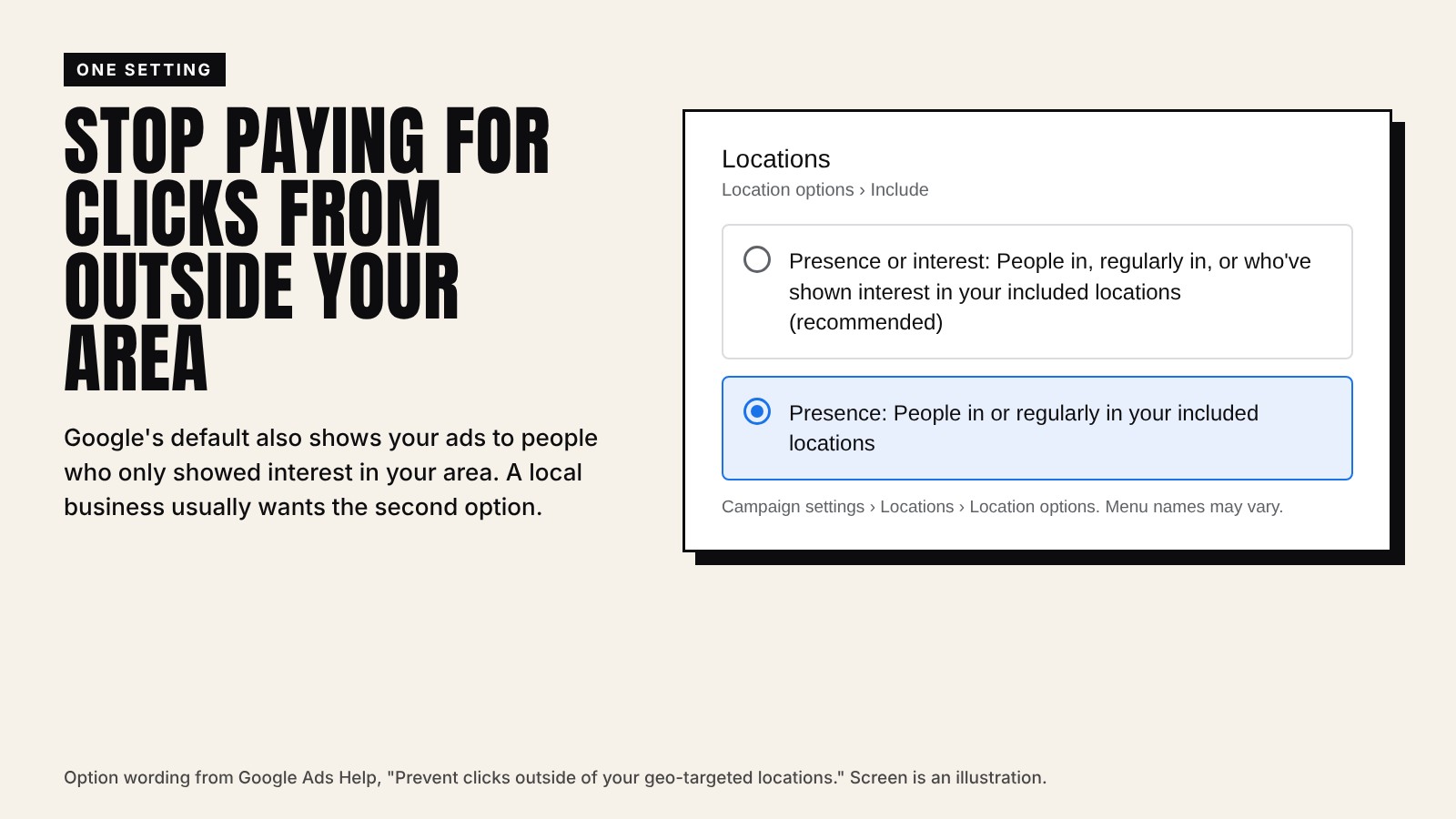
- Set location options to people in or regularly in your area.
- Turn on call tracking, or you cannot tell which ads make the phone ring.
If Google Ads sends clicks but the phone stays quiet, the ads are not broken. They are showing to the wrong people, or the right people are not getting through. Check these in order. Each one takes minutes.
1. Look at what people actually searched
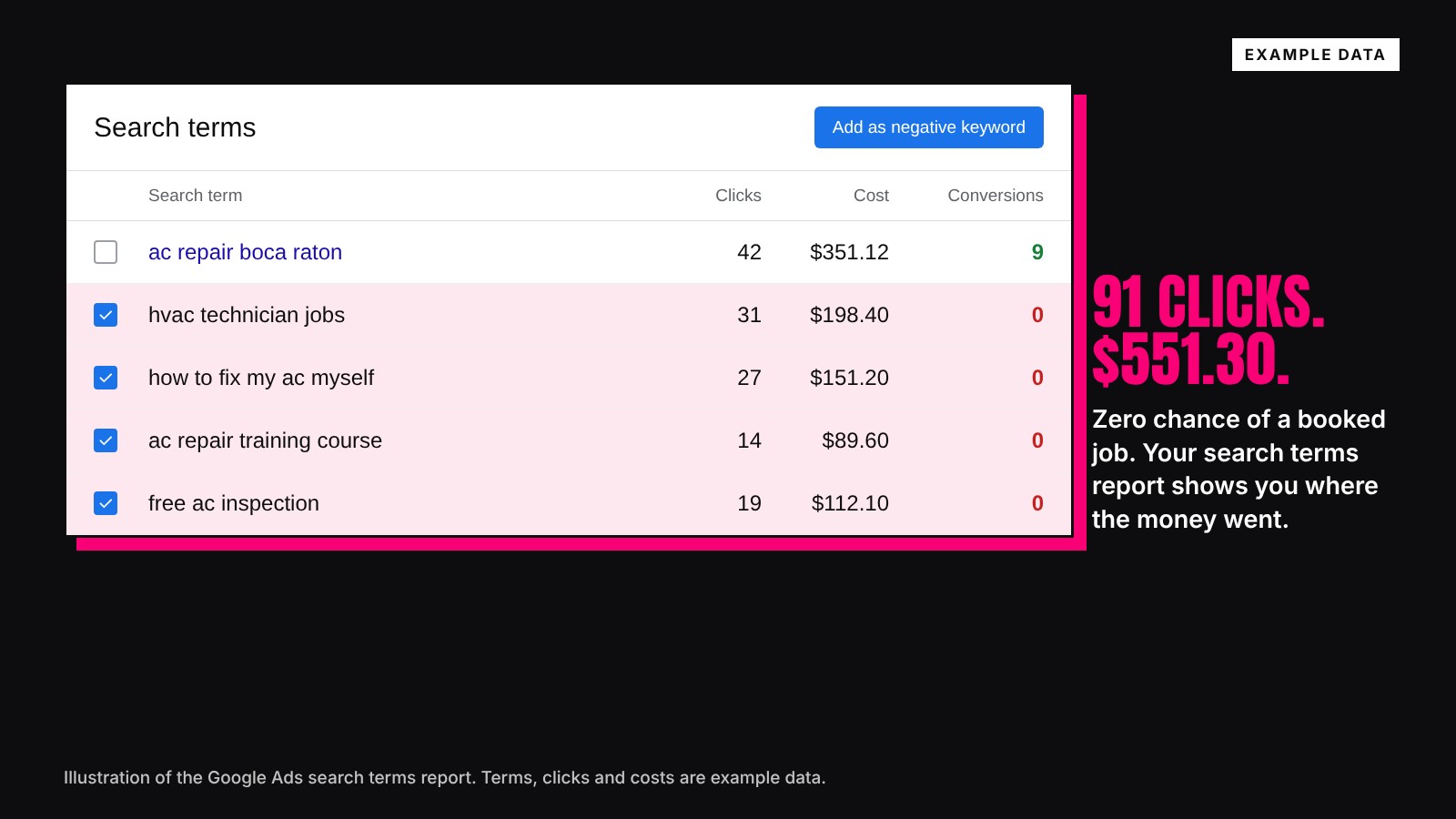
Your keywords are not what people typed. The search terms report is. It lists the real searches that showed your ad, with clicks and cost. Google says to add any search that does not fit what you sell as a negative keyword, so your ad stops showing for it.
Searches to look for in almost every local account:
- Jobs: technician jobs, hiring, salary, careers.
- Do it yourself: how to, fix it myself, DIY, YouTube.
- Free: free estimate can be fine, free repair usually is not.
- Training: course, school, certification, training.
Put the ones that never fit your business in a negative keyword list and apply it to every campaign.
2. Check how loose your keywords are
Google says broad match reaches all the searches that phrase and exact match reach, and more. That reach is useful when tracking is solid and the account has data. On a new account with no tracking, it is often where the junk clicks come from. Tighten match types until the search terms report looks clean.
3. Stop clicks from outside your area
Google's default location option shows your ads to people in your area and to people who only showed interest in it. A plumber in Boca Raton can pay for a click from someone in another state reading about Boca Raton. Switch to the option for people in or regularly in your area.
4. Make sure calls are counted
You may be getting calls and not seeing them. Google Ads can track calls straight from your ads and calls to the number on your website. Website call tracking swaps in a Google forwarding number at no cost, so you can see which keyword led to each call. Without it, Google's bidding cannot learn which clicks turn into callers.
5. Check the page and the phone
- Open your ad on your own phone. Does the page load fast, and is there a call button you can tap without scrolling? We build pages made to convert.
- Call your own number during the hours your ads run. Does a person answer?
- If calls go to voicemail after hours, an AI receptionist can pick them up.
- Call back every form within minutes. A lead that waits until tomorrow often calls someone else.
When to bring in help
If you have checked all five and the phone is still quiet, the problem is usually in how the account is built: campaigns, ad groups, bids and landing pages. That is what we fix. On typical home service accounts we run, the average cost per booked job is $68. Read is Google Ads worth it to run the math on your own account.
Who this is for
This is for owners who already run Google Ads and see clicks without calls. It covers home services, dentists, med spas and law firms.